

JobBank About pages redesign
Redesign 4 pages about 1111- About / Privacy / Report / Cooperate.
I learned a lot in detail-handling of design, even was the basic information display.
#1 About Page
(Handoff, under developing)
Role & key partners
Me- Product designer / manager- Sr. Product designer / PM
Collaboration
ver.1,2- design by manager
ver.3,4- design independently & report to manager.
Discuss old version with and require data from PM / QC for Front-end.
Responsible
UI mockup / all visual aspect / prototype for discuss.
Discuss & reports to manager and director (especially about banner).
(Initiative) Find tab-pages structural problems, and sentence & spelling problems, report and discuss with manager & PM .
Intro of Sections
Background
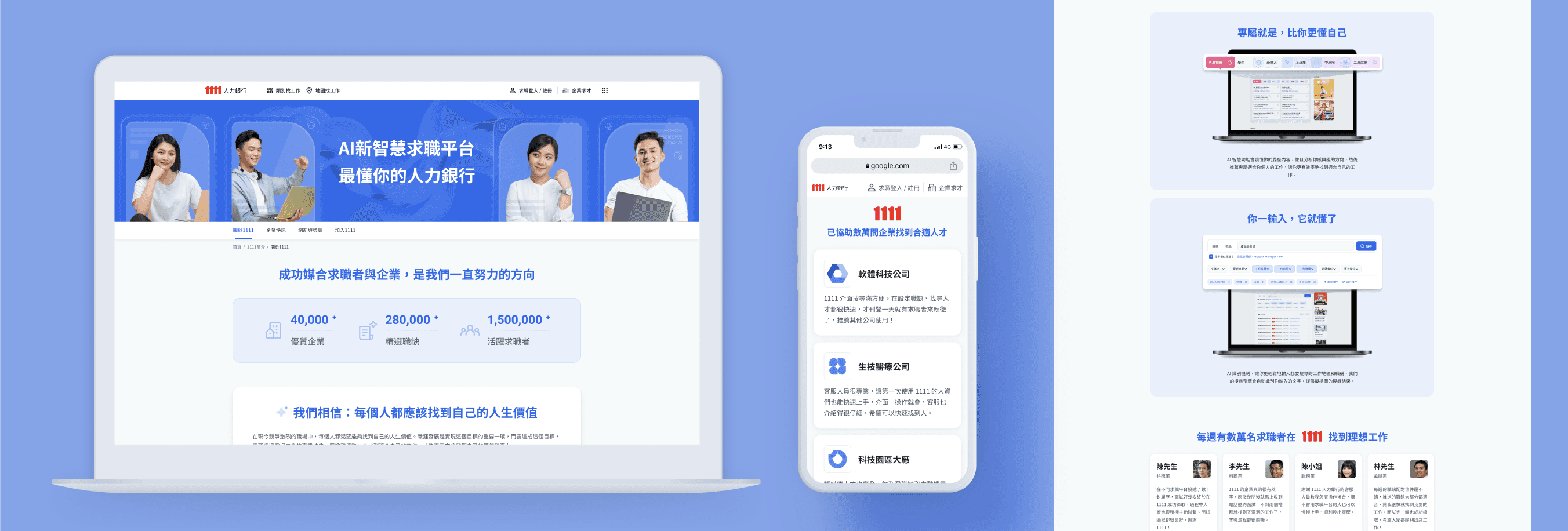
After the Home page redesign was officially launched, another aspect of the brand redesign was also restarted: About page. It had been restarted once, and the manager was responsible for the design, and I was responsible for this time.
Challenge
How to visualize the concepts and find the common ground among the stakeholders' suggestions and ideas was a mind-reading challenge; and the banner, as one of the appearance of the company, the design is subject to strict inspection.
Goal
Design a more youthful and lively while also maintain concise and neat style.
Design the visual style well especially the banner to meet the supervisors' expectations.
Because the short-staffed, I also check the copy & content to ensure that no errors or inappropriate presentations spontaneously.
Intro of design progress
#2 Privacy & Policy Page
( official launched )
Role & key partners
Me- Product designer / manager / SA / Front-end Engineer
Collaboration
Design independently, report to & discuss with manager.
Require data from SA and legal department (redesign the layout before legal reversion the content).
QC to front-end developer for 3 times till generally pass.
Responsible
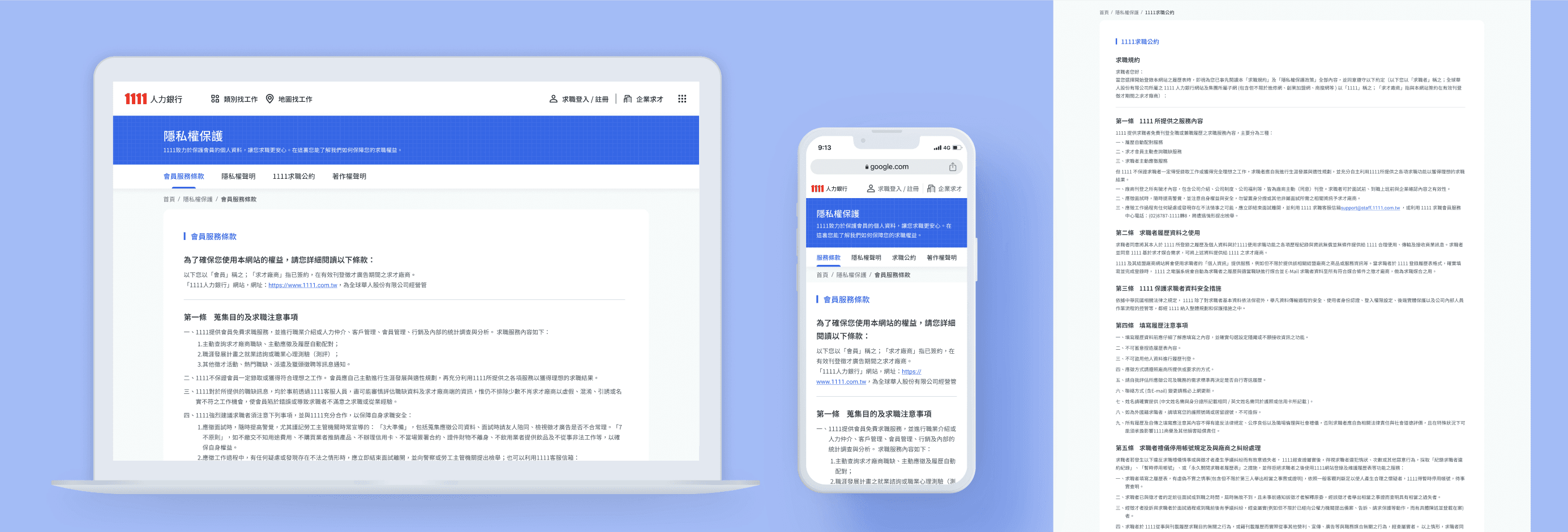
In the Privacy page, all 4 tabs needed to be redesigned: 會員服務條款 / 隱私權聲明 / 求職公約 / 著作權聲明
Every content, sentence…etc. has been rearranged and designed.
So as the Banner, TabBar and breadcrumb.
Challenge
Although it was simply information display, the devil is in the details, I can always( and need to ) design the UI more delicately to make the reading experience better.
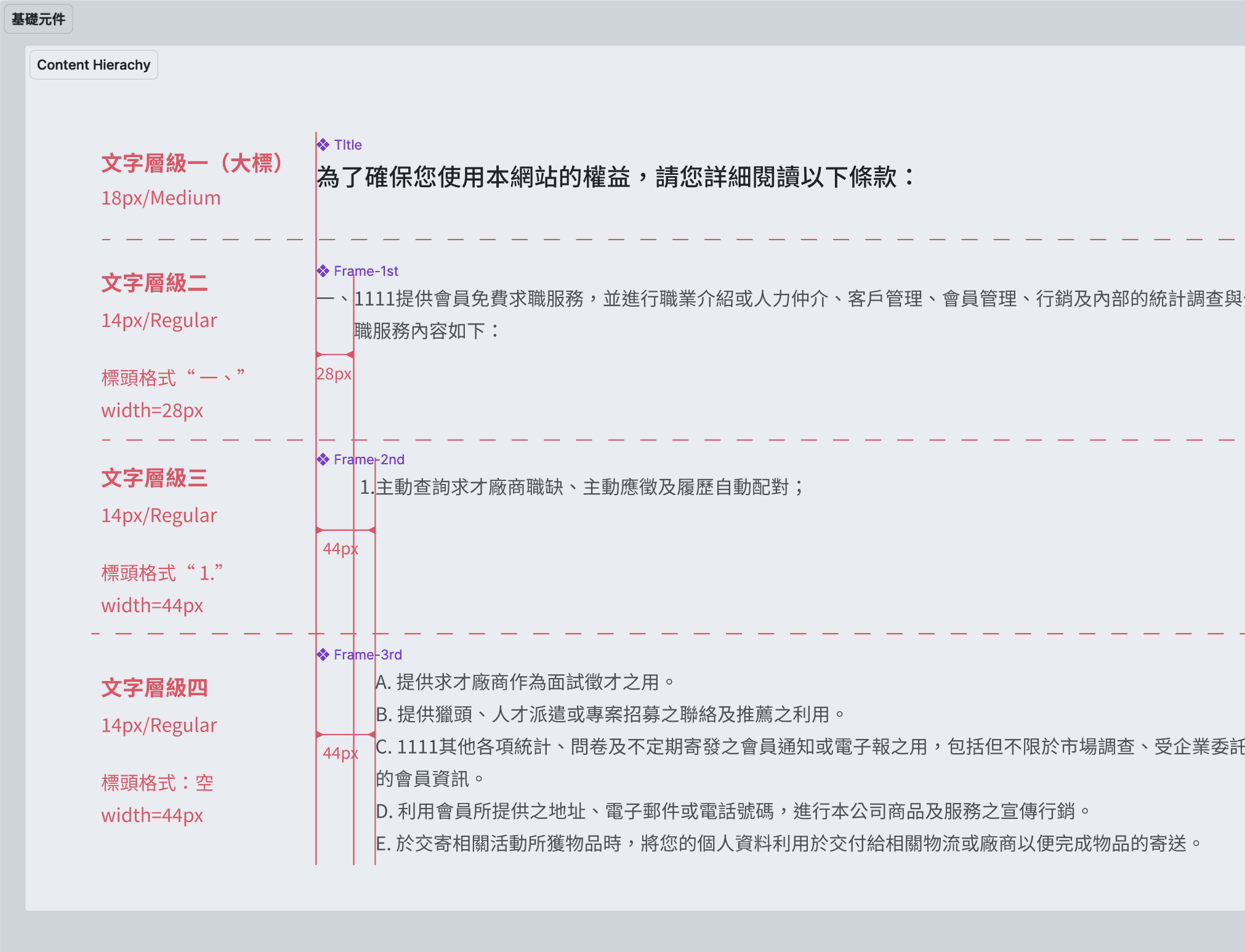
Setting the logic of information hierarchy
Although it was simply information display, my supervisor reviewed my design of the information hierarchy very detailed, so I learned a lot from such design focusing.
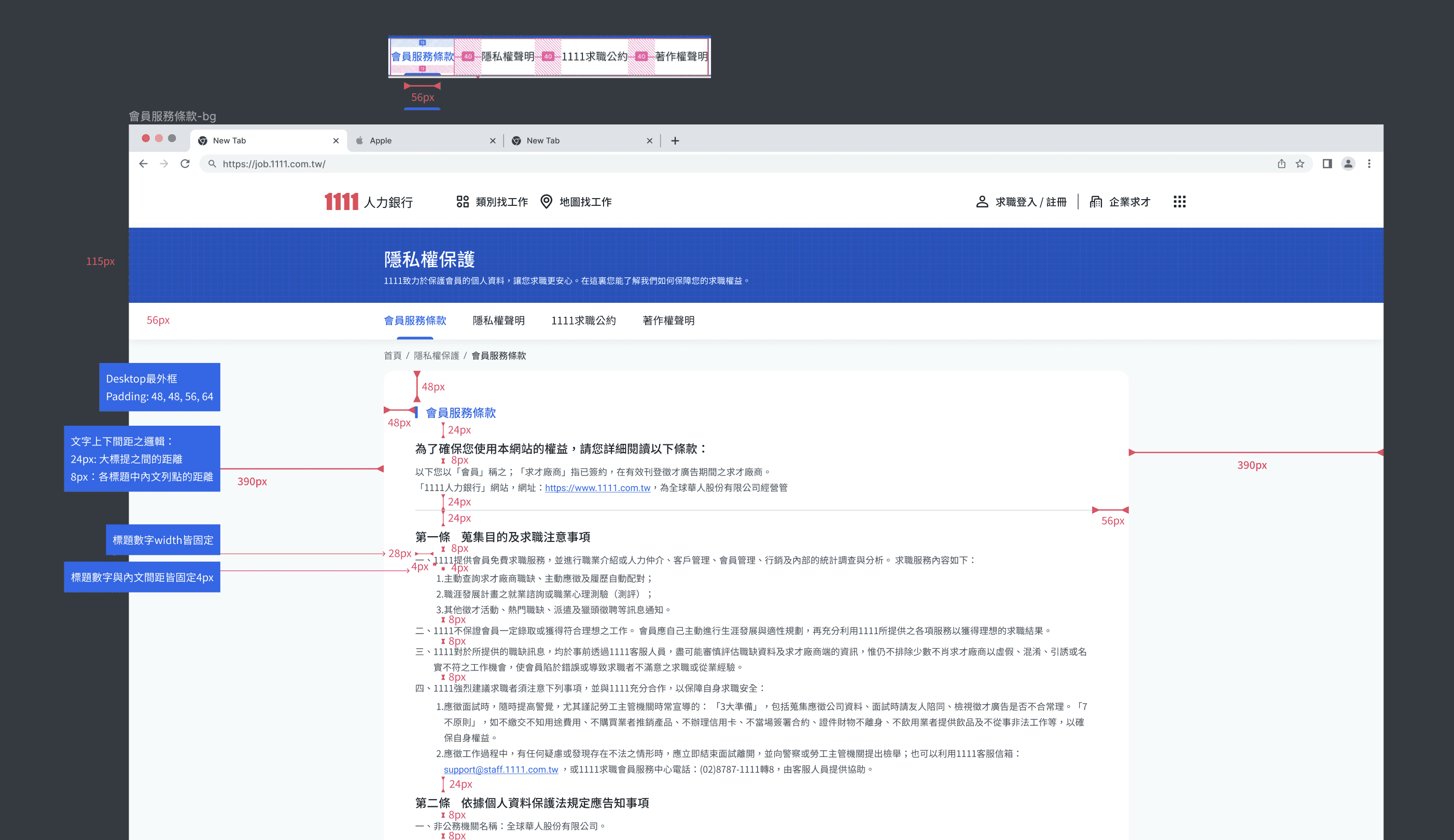
Elaborately documenting design details in Handoff.
Mark the UI values of the design file in detail and clearly to help the front-end development be more consistent with the UI mockup and avoid too many adjustments during the QC.
Learning
Polish my layout and UI capabilities for presenting complex content.
Practice text layout in digital presentation in depth and detail. Each level set according to the information hierarchy:
sentence's width, line spacing, word spacing, font size and depth.
Not only as a designer, also play a role of inspection, assistance
Under the short-staffed of PM, designers should also play a supporting role to help produce content, and check the words to ensure that the content is appropriate.
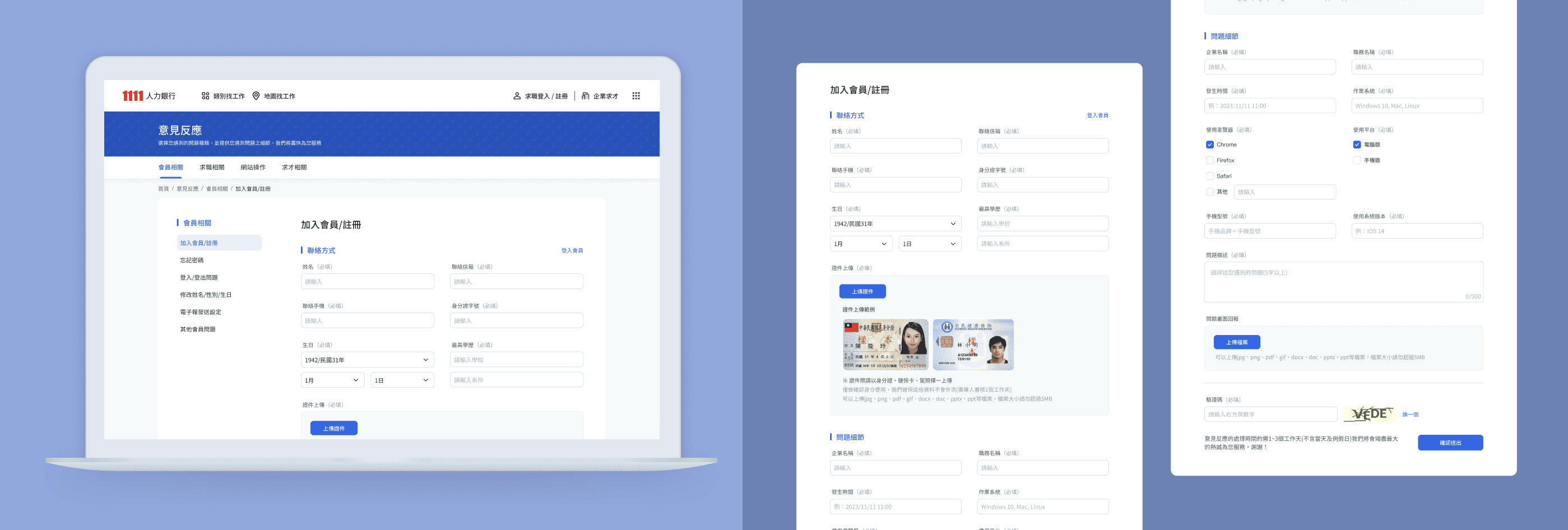
#3 Problem report page
(Handoff, under developing)
Role & key partners
Me- Product designer / manager / SA
Collaboration
Design independently, report to & discuss with manager.
Require specification sheet from SA for complete detailed UI mockup.
Responsible content
Redesign whole page & content of this page including 4 main category combine with 22 problem report forms.
Come up with several IA & layout design to find best fill-in experience.
Learning
Be more familiar with the components commonly used when filling in forms, as well as their compatibility and limitations. And how to clearly display the status of file upload results.
Some intro of design progress
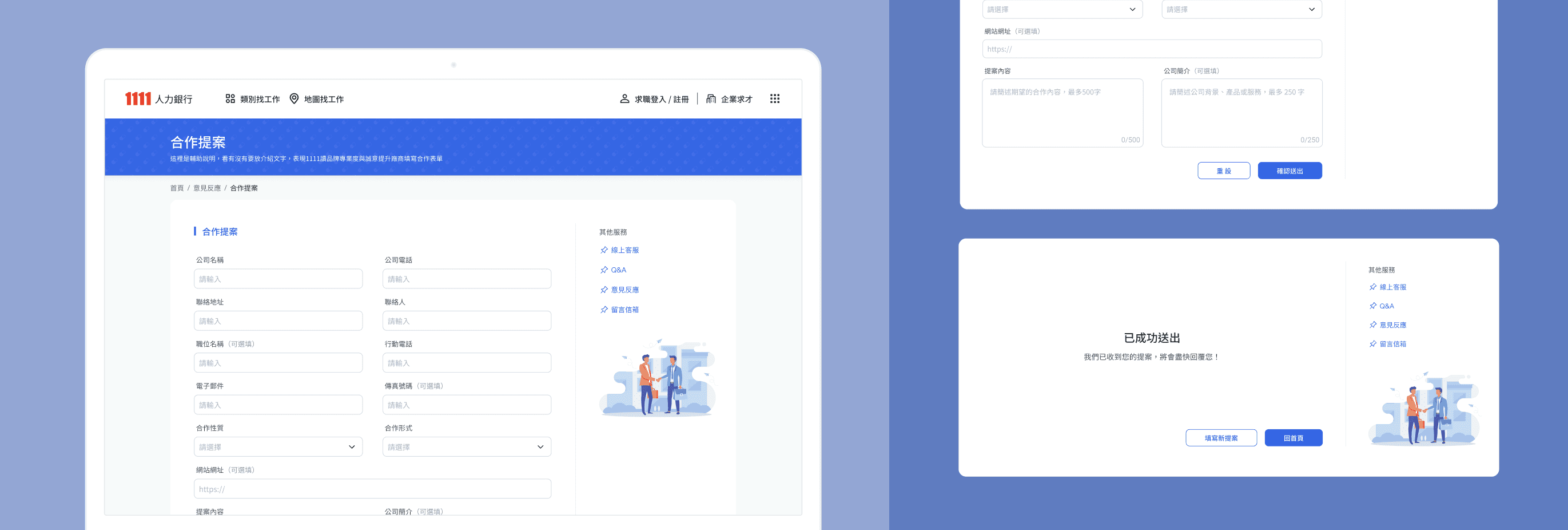
#4 Cooperate invite page
(Handoff, under developing)
Role & key partners
Me- Product designer / manager / PM
Collaboration
Receive wireframe from PM, discuss the details and iterate together.
Confirm the redesign range and develop limitations.
Design independently, report to manager to choose layout types.
Some intro of design progress
Learning
When there are simple reading info and input elements, how to design their relative relationship can make the screen looked comfortable and fluent interaction at the same time.